Virtual Cloud Servers
Empower your online journey with HostBet's Cloud VPS Hosting – where reliability meets flexibility in the digital sky. Elevate your website's performance with seamless scalability and top-tier security, backed by our expert support every step of the way.
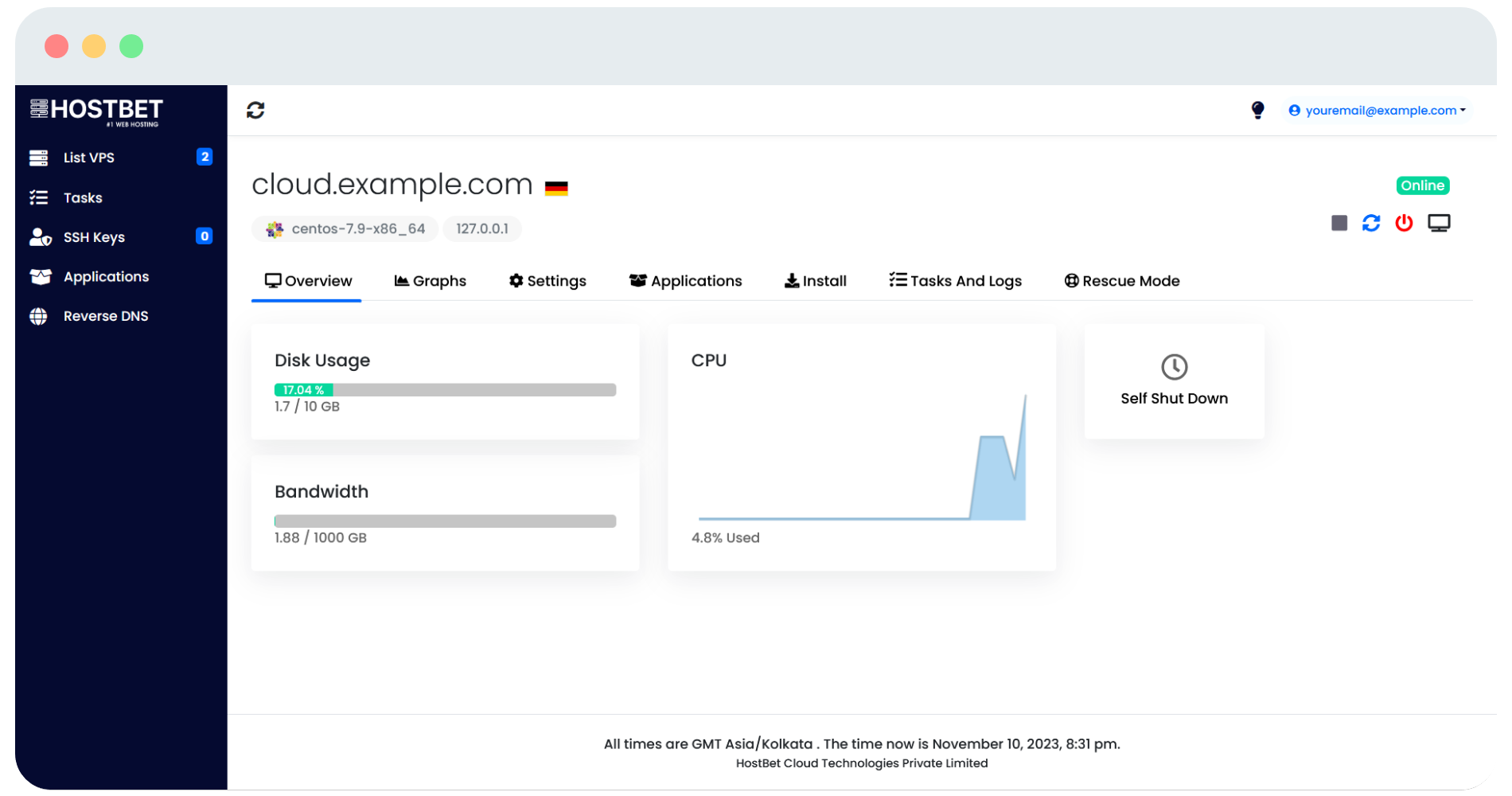
Cloud Virtual Servers
High-performance AMD EPYC VPS with NVMe SSD storage and DDR4 ECC RAM. Perfect for resource-intensive applications.
| Package | CPU | RAM | Storage | Bandwidth | IP | Location | Price | |
|---|---|---|---|---|---|---|---|---|
Micro | 2 vCPU | 4 GB | 40 GB | 5 TB | 1 IPv4 | Germany | ₹400/mo | Order |
Andromeda | 4 vCPU | 8 GB | 160 GB | 5 TB | 1 IPv4 | Germany | ₹1100/mo | Order |
CygnusPopular | 6 vCPU | 16 GB | 240 GB | 10 TB | 1 IPv4 | Germany | ₹2000/mo | Order |
Leo | 8 vCPU | 32 GB | 360 GB | 15 TB | 1 IPv4 | Germany | ₹4500/mo | Order |
Photon | 16 vCPU | 64 GB | 520 GB | 15 TB | 1 IPv4 | Germany | ₹9200/mo | Order |
Cygnus
VPS Hosting Features
Enterprise-grade virtualization with cutting-edge technology for unparalleled performance and reliability.
NVMe SSD Disk
Our cutting-edge self-managed VPS hosting servers harness the power of state-of-the-art AMD EPYC processors, abundant RAM per server, and ample gigabytes of lightning-fast NVMe SSD storage. Experience unrivaled processing power, enabling seamless execution of medium to large-scale online projects.
Reliable Network
Experience the reliability of our network with a rock-solid 99.99% server uptime guarantee. Enjoy lightning-fast website loading times, ensuring a seamless user experience for your visitors. Say goodbye to unexpected downtimes and trust our network infrastructure to keep your online presence consistently available.
AMD EPYC Processors
Harness the exceptional power of AMD EPYC processors, the backbone of our infrastructure. With advanced architecture and cutting-edge technology, our servers deliver unparalleled processing performance. Benefit from the robustness and reliability of AMD EPYC processors, ensuring your applications and workloads run smoothly and efficiently.
24/7 Expert Support
Our top-notch support team is always ready to assist you through our Live Chat and Ticket system. Experience prompt and reliable assistance, available at your convenience. Whether you have questions, concerns, or technical issues, our dedicated support professionals are here to provide the guidance you need.
Full Root Access
In our Linux VPS offerings, you will enjoy the freedom of complete root access. Take full control of your virtual server environment and have the ability to customize and configure it according to your specific needs. With root access, you have unrestricted administrative privileges, allowing you to install applications, modify settings, and manage your server with utmost flexibility.
DDoS Protection
Our VPS servers come with enterprise-grade DDoS protection to safeguard your applications and data from malicious attacks. With advanced threat detection and mitigation systems, we ensure your online presence remains secure and available even during sophisticated cyber attacks.
Choose Your Operating System
Select from a variety of popular Linux distributions, each optimized for performance and security.

CentOS
CentOS is a stable, secure, and free Linux distribution based on Red Hat Enterprise Linux, ideal for servers and VPS.
Ubuntu
Ubuntu is a popular open-source Linux distribution known for its ease of use, community support, and regular updates for desktops and servers.

AlmaLinux
AlmaLinux is a free and open-source Linux distribution designed as a drop-in replacement for CentOS, with long-term support and compatibility with RHEL.

Debian
Debian is a stable and popular open-source Linux distribution known for its robust package management system and support for multiple architectures.

Fedora
Fedora is a community-driven Linux distribution known for its cutting-edge features, frequent updates, and support for a wide range of software.
More Coming Soon
Additional operating systems and distributions will be added regularly to give you more choices for your VPS.
Frequently Asked Questions
What is a VPS Hosting?
VPS hosting is a service that offers clients virtual private servers on a shared physical server. Each virtual server operates independently, providing clients with dedicated resources and a higher level of control compared to shared hosting. VPS hosting allows clients to customize their server environment, install software applications, and scale resources as needed. It offers a cost-effective solution for clients seeking the benefits of dedicated hosting without the associated expenses.
How to setup and use the VPS?
Once you have purchased the VPS, simply login to your VPS via SSH, granting you access to the command-line interface, where you can effortlessly install your preferred software applications, configure settings, and customize your server environment to meet your specific needs and requirements.
How many visitors can VPS Hosting, VPS Server Handle?
It depends on your website or software; in VPS Hosting or VPS Server, you get fixed CPU, RAM, Disk, and Bandwidth. It depends on your software/application that, how many processes it runs, and how many resources the processes consume. With that information, you can analyze how many visitors concurrently your VPS Plans can handle.
How to install any Control Panel or cPanel on a VPS Server or VPS Hosting?
To install a control panel on a VPS server or VPS hosting, login to your VPS via SSH, obtain the installer command from the control panel's official website, execute the command in the command-line interface, and wait a few minutes for the control panel installation process to complete, providing you with a user-friendly interface to manage your VPS.
What is difference between Shared Hosting and VPS Hosting?
Shared hosting involves multiple websites sharing server resources, while VPS hosting uses virtualization technology to partition a physical server into multiple virtual servers. VPS hosting provides more control, customization, and performance than shared hosting but is less expensive than dedicated hosting.
How to reinstall operating system or OS in your VPS Hosting/VPS Server?
Reinstalling the operating system (OS) in your VPS Hosting/VPS Server is a breeze with our VPS control panel. Simply access the control panel, choose your desired operating system from the available options, and initiate the installation process. Our user-friendly interface allows you to effortlessly reinstall the OS of your choice, ensuring a seamless experience for your VPS.
Can I create a website with VPS Hosting or VPS Server?
Absolutely! With VPS Hosting or VPS Server, you have the flexibility to create and host websites. Install a webserver such as Apache, Nginx, or LiteSpeed on your VPS, upload your website files, and configure the web server to serve those files. Alternatively, if you have a control panel installed, you can easily follow its guide to streamline the website hosting process with less manual configuration.
Can I install Windows on my VPS Hosting/ VPS server?
Certainly! You can install Windows on your VPS Hosting/VPS server by following the reinstallation process provided. However, it's important to note that after installing Windows, you will need to reach out to our support team to enable RDP (Remote Desktop Protocol) access for your VPS, allowing you to securely connect to and manage your Windows VPS remotely.
Will I receive support while working with VPS?
In self-managed VPS hosting, our support primarily focuses on assisting with our VPS control panel usage and addressing any network-related issues at our end. Support for setting up the VPS or working with specific applications is not provided. We are here to ensure a reliable network connection and offer assistance within the scope of our service offerings.
Is it possible to upgrade or downgrade VPS hosting or VPS server plan?
Certainly! It is indeed possible to upgrade your VPS hosting or VPS server plan. However, please note that downgrading the plan is not possible. To upgrade your plan, simply access your client area and follow the instructions provided to choose a higher-tier plan that better suits your requirements.
What is difference between VPS Hosting or VPS server and Dedicated Server?
The main difference between VPS Hosting and Dedicated Servers lies in resource allocation. With VPS Hosting, a physical server is divided into multiple virtual servers, each with allocated resources. In contrast, a Dedicated Server provides exclusive access to all server resources. VPS Hosting is more cost-effective and offers scalability, while Dedicated Servers provide maximum performance, control, and resources, making them ideal for high-traffic websites or resource-intensive applications.
Always at your service
You can contact us and discuss right now, our team will reply in an appropriate time.